If you’re starting freelancing, content creation, or online business, there’s a very high chance you’ll eventually need to create visual content.
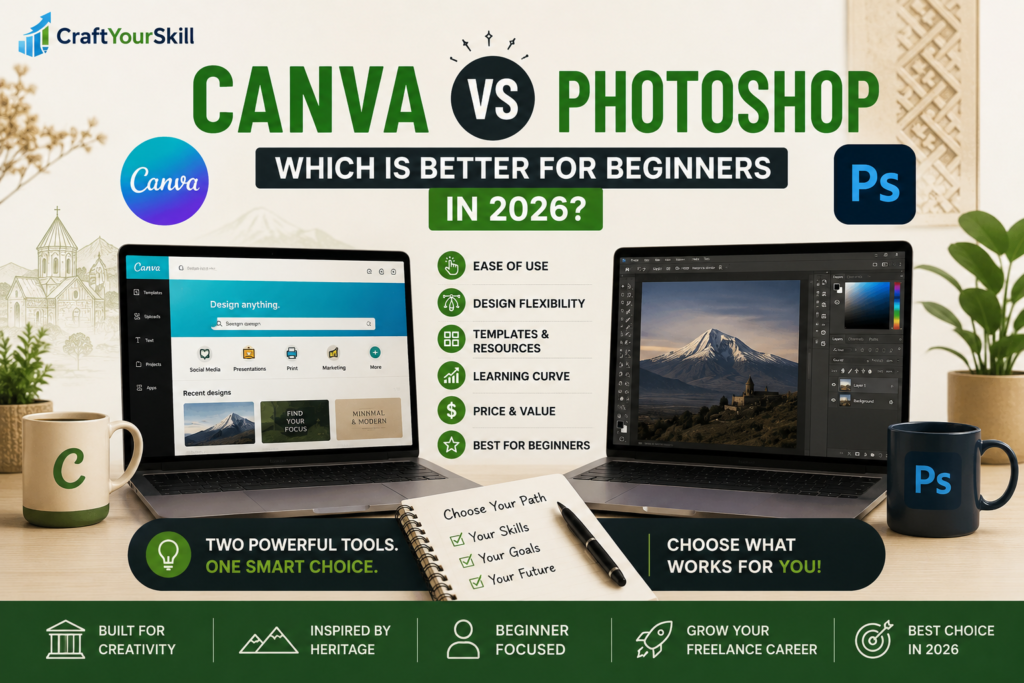
That’s where two names immediately appear: Canva and Adobe Photoshop.
At first glance, they both seem to do the same thing:
- Create graphics
- Edit images
- Design content
But in reality, they are built for very different types of users.
And for beginners, choosing the wrong tool can lead to frustration, wasted time, and unnecessary complexity.
In this guide, we’ll break down Canva vs Photoshop for beginners, including:
- What each tool is actually good for
- Which one is easier to learn
- Which one helps freelancers make money faster
- Real use cases
- Practical workflows
- When you should upgrade from Canva to Photoshop
This won’t be fluff or generic advice — we’ll look at how beginners actually use these tools in real-world situations.
What Canva and Photoshop Are Actually Built For
Before comparing them, it’s important to understand something many beginners misunderstand:
These tools were not originally built for the same audience.
Canva
Canva was built for:
- Non-designers
- Beginners
- Small businesses
- Social media creators
- Fast content production
It focuses on speed and simplicity.
You use templates, drag-and-drop editing, and ready-made assets to create visuals quickly.
Adobe Photoshop
Photoshop was built for:
- Professional designers
- Photographers
- Advanced editing
- Digital artists
- Complex image manipulation
It focuses on precision and creative control.
Photoshop allows you to build almost anything visually but with that power comes complexity.
Which One Is Easier for Beginners?
This is where the difference becomes immediately obvious.
For most beginners, Canva is dramatically easier.
You can create:
- Instagram posts
- Blog graphics
- Pinterest pins
- YouTube thumbnails
- Presentations
within minutes.
You don’t need to understand layers, masks, blending modes, or advanced editing techniques.
You simply:
- Choose a template
- Replace text/images
- Export the design
That’s why Canva exploded in popularity among freelancers and creators.
Photoshop is different.
When you open it for the first time, the interface alone can feel overwhelming.
You’ll see:
- Toolbars
- Layers
- Adjustment panels
- Complex menus
And without tutorials, many beginners have no idea where to start.
This doesn’t mean Photoshop is bad.
It simply means it requires learning.
Realistically: What Should Beginners Actually Use?
Here’s the honest answer most people won’t tell you:
For most beginners trying to make money online, Canva is enough.
Especially if your goal is:
- Freelancing
- Social media management
- Blogging
- Content creation
- Small business design work
Many beginner freelancers are already earning money using Canva alone.
Clients often care more about:
- Clean visuals
- Fast delivery
- Consistency
than whether you used Photoshop.
What Can You Actually Create in Canva?
A lot more than people expect.
For example, freelancers use Canva for:
- Instagram carousels
- TikTok covers
- Facebook ads
- Website banners
- E-books
- Client presentations
- Resume design
- Lead magnets
- Pinterest graphics
Canva also includes:
- Built-in templates
- Stock photos
- Fonts
- Icons
- AI-powered tools
- Brand kits
This makes it incredibly efficient for beginners.
What Photoshop Does Better
Despite Canva’s convenience, Photoshop still dominates professional-level design and editing.
Photoshop is far superior for:
- Professional photo retouching
- Advanced image manipulation
- Custom graphic design
- Detailed editing work
- High-end branding
- Complex compositions
For example:
If a client wants:
- Advanced product photo editing
- Realistic mockups
- Professional advertising visuals
- Deep retouching work
Photoshop becomes necessary.
Canva simply cannot match that level of control.
Which Tool Helps You Start Freelancing Faster?
For beginners trying to get freelance clients quickly:
Canva usually wins.
Why?
Because the learning curve is much shorter.
Instead of spending months learning technical design skills, you can:
- Learn Canva within days
- Build sample designs quickly
- Start offering simple services
This is extremely important when your goal is momentum.
Many successful beginner freelancers start by offering:
- Social media post design
- Simple branding kits
- YouTube thumbnails
- Presentation design
using Canva.
Best Websites to Learn Each Tool
If you want practical learning resources, here are realistic starting points.
For Canva:
- Official Canva Design School
- YouTube beginner tutorials
- Skillshare beginner Canva classes
The fastest way to learn Canva is simply by recreating designs.
Pick social media posts you like and try building similar ones.
For Photoshop:
- Adobe official tutorials
- YouTube channels focused on beginners
- Udemy Photoshop fundamentals courses
For Photoshop, structured learning matters more because the software is more technical.
Can You Make Money With Canva?
Yes: absolutely.
And this surprises many people.
Here are actual beginner-friendly services people sell using Canva:
- Instagram post packages
- Pinterest templates
- Small business branding
- Social media kits
- E-book design
- Presentation slides
- Digital products
Platforms beginners commonly use:
- Fiverr
- Upwork
- Etsy (for templates)
The key is not being a “designer.”
The key is helping businesses create clean, useful visuals.
Can You Make Money With Photoshop?
Yes: often more money eventually.
But it usually takes longer.
Photoshop skills are more specialized, meaning:
- Learning takes more time
- Competition is more skill-based
- Clients expect higher quality
However, once you become advanced, Photoshop opens doors to:
- Premium freelance work
- Agency jobs
- Advanced branding projects
- Professional creative careers
Pricing Comparison
Canva
Canva has:
- A strong free version
- A paid Pro version with extra assets and features
For most beginners, the free version is enough initially.
Photoshop
Photoshop requires a subscription through Adobe.
This can become expensive for beginners who are not yet earning consistently.
That’s another reason many people start with Canva first.
The Biggest Mistake Beginners Make
Many beginners think:
“Professionals use Photoshop, so I should start there.”
But that often slows them down unnecessarily.
Instead of building skills and getting clients, they spend months overwhelmed by tools they don’t yet need.
The smarter approach is:
- Start simple
- Start earning
- Upgrade later if necessary
The Best Strategy for Beginners
This is realistically the best path for most people:
Step 1:
Learn Canva first.
Step 2:
Use it to:
- Build portfolio samples
- Create content
- Learn visual principles
- Get freelance clients
Step 3:
Move into Photoshop later only if:
- Your work requires advanced editing
- You want higher-end design work
- You genuinely enjoy design professionally
This path is faster, more practical, and less overwhelming.
Conclusion
If you’re a beginner looking for:
- Simplicity
- Speed
- Freelance opportunities
- Easy learning
Canva is the better choice
If you want:
- Professional-level editing
- Advanced creative control
- High-end design skills
Adobe Photoshop is the better long-term tool
For most beginners in 2026:
Starting with Canva is the smartest move.