Starting freelancing is not just about having a skill: it’s also about having the right tools to support your work.
At the beginning, it’s easy to feel overwhelmed. There are hundreds of tools out there, all promising to make you more productive, more organized, and more successful.
But the truth is, you don’t need everything.
Most beginners actually slow themselves down by trying too many tools at once. What you really need is a small set of reliable tools that help you stay organized, communicate clearly, and deliver your work efficiently.
In this guide, we’ll walk through the best tools for beginner freelancers in 2026, focusing only on what’s practical, easy to use, and worth your time.
Why Tools Matter More Than You Think
When you’re just starting out, tools may feel optional.
But they quickly become essential.
The right tools help you:
- Stay organized
- Work faster
- Communicate professionally
- Deliver better results
And when you’re working with clients, these small details matter more than you think.
Start Simple: You Don’t Need Everything
Before diving into specific tools, keep this in mind:
You don’t need a complicated setup.
A few tools used consistently will take you much further than trying everything at once.
1. Communication Tools
Clear communication is one of the most important parts of freelancing.
Most clients will expect you to communicate through email or messaging platforms.
A simple combination works best:
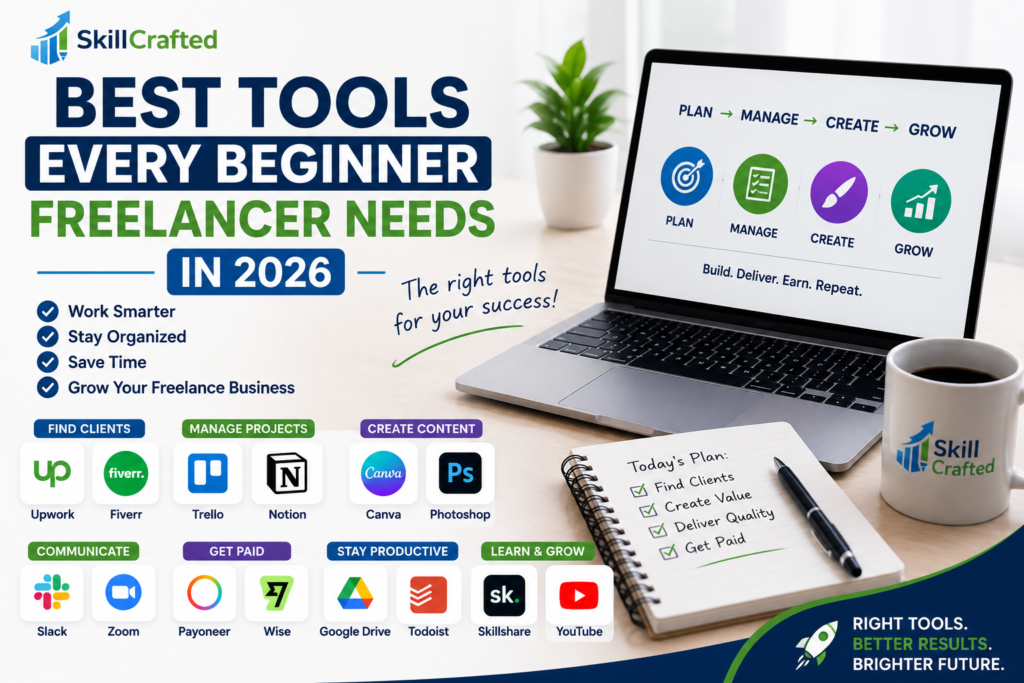
- Gmail for professional email communication
- Slack for ongoing client conversations
These tools help you stay responsive and organized without overcomplicating things.
2. Project Management Tools
As soon as you start working with clients, you’ll need a way to keep track of tasks and deadlines.
This is where project management tools come in.
A great beginner-friendly option is:
- Trello: simple, visual, and easy to use
If you want something more flexible:
- Notion: perfect for organizing everything in one place
These tools help you avoid missed deadlines and keep your work structured.
3. Writing & Content Tools
Even if you’re not a writer, you’ll likely need to write emails, proposals, or content.
Having a tool to support your writing can make a big difference.
- Grammarly helps you improve grammar and clarity
- Google Docs is perfect for writing and sharing documents
These tools help you communicate more clearly and professionally.
4. Design Tools (Even If You’re Not a Designer)
Visual content is everywhere and even basic design skills can add value to your services.
You don’t need complex software to get started.
- Canva is one of the best beginner-friendly design tools
With Canva, you can create:
- Social media posts
- Presentations
- Simple graphics
It’s easy to learn and extremely practical.
5. Time Management & Productivity Tools
Freelancing gives you flexibility but it also requires discipline.
Without structure, it’s easy to lose focus.
Simple tools can help you stay on track:
- Toggl Track for tracking your time
- Google Calendar for planning your day
These tools help you understand how you spend your time and stay productive.
6. File Storage & Organization Tools
You’ll quickly start dealing with multiple files, documents, and client materials.
Having a system to store everything is essential.
- Google Drive is one of the simplest and most reliable options
It allows you to:
- Store files
- Share documents
- Access everything from anywhere
Keeping your files organized makes your workflow smoother and more professional.
7. Payment & Invoicing Tools
Getting paid is an important part of freelancing and doing it professionally matters.
Two commonly used tools are:
- PayPal for receiving international payments
- Wise for lower fees and better currency conversion
These tools help you handle payments securely and build trust with clients.
How to Choose the Right Tools
With so many options available, it’s easy to feel like you need everything.
You don’t.
Start with what solves your immediate needs:
- Communication
- Organization
- Delivery
You can always upgrade or expand later.
Common Mistakes Beginners Make
One of the most common mistakes is using too many tools at once.
Instead of improving productivity, it creates confusion.
Another mistake is focusing more on tools than skills. Tools support your work: they don’t replace your ability to deliver value.
Conclusion
The right tools won’t make you successful on their own.
But they will make your journey smoother, more organized, and more professional.
Start simple, stay consistent, and build your workflow over time.