If you’re starting freelancing, staying organized quickly becomes one of your biggest challenges.
Between managing tasks, tracking projects, handling clients, and keeping notes, things can get messy fast especially if you don’t have a system in place.
That’s where productivity tools come in.
Two of the most popular options freelancers turn to are Notion and Trello.
Both are powerful. Both are widely used. And both can help you stay organized.
But they are built in very different ways and choosing the right one as a beginner can make your workflow much easier.
In this guide, we’ll break down Notion vs Trello for freelancers, so you can decide which one actually fits your needs.
Understanding the Core Difference
At a glance, both tools help you manage work.
But the way they do it is completely different.
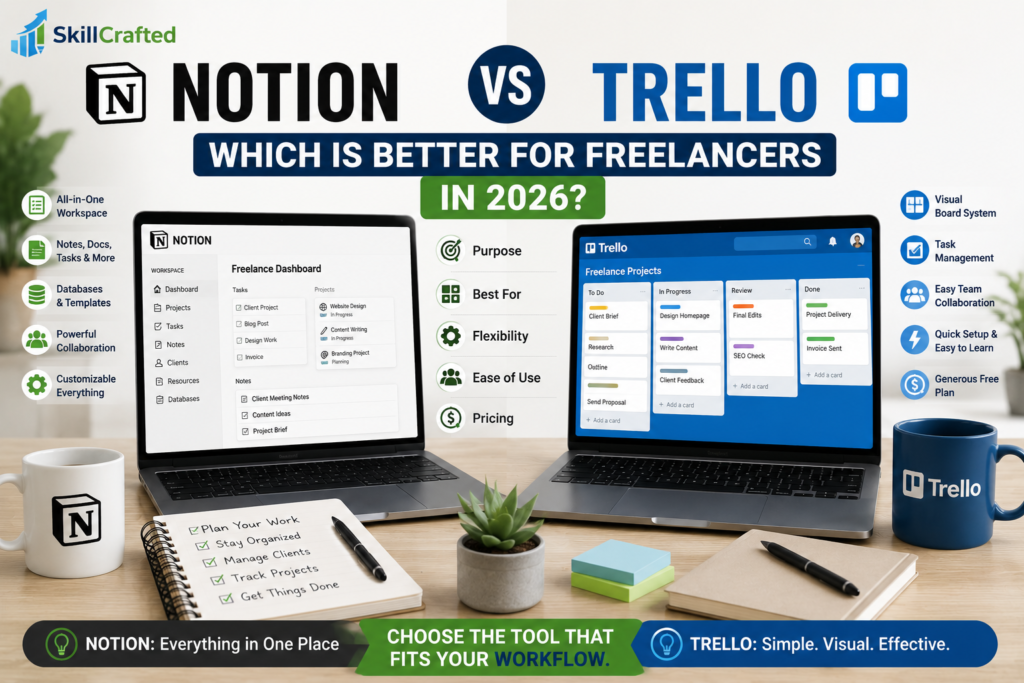
Trello is built around simplicity. It uses boards, lists, and cards to organize tasks in a very visual way.
Notion, on the other hand, is more like an all-in-one workspace. It allows you to create pages, databases, notes, task systems, and more — all in one place.
In simple terms:
- Trello helps you manage tasks
- Notion helps you manage your entire workflow
This difference becomes important depending on how you work.
Ease of Use: Which One Is More Beginner-Friendly?
If you’re completely new to productivity tools, Trello is usually easier to start with.
You can create a board, add tasks, and start organizing your work within minutes. There’s very little learning required.
Notion can feel overwhelming at first.
Because it’s so flexible, it doesn’t guide you in one specific way. You need to decide how to structure your workspace, which can take time.
That said, once you get used to it, Notion becomes extremely powerful.
So in the beginning:
- Trello feels easier
- Notion feels more complex but more flexible
Task Management: Simplicity vs Flexibility
For managing tasks, Trello does exactly what it’s designed for and it does it well.
You can move tasks from “To Do” to “In Progress” to “Done,” which makes it easy to track progress visually.
For freelancers managing a few clients or simple projects, this is often enough.
Notion also supports task management, but in a more customizable way.
You can create task databases, add properties, filter tasks, and organize everything based on your needs.
This makes Notion more powerful, but also slightly more time-consuming to set up.
Workspace Organization
This is where Notion really stands out.
Instead of using multiple tools, you can use Notion for:
- Notes
- Tasks
- Client management
- Content planning
- Knowledge storage
Everything lives in one place.
Trello, in comparison, is more focused.
It’s excellent for managing tasks, but you’ll likely need additional tools for notes or documentation.
If you prefer having everything in one system, Notion has a clear advantage.
Which One Helps You Stay Productive?
Productivity is not just about tools it’s about how easy it is to use them consistently. Trello’s simplicity makes it easy to stick with. You open it, see your tasks, and take action. There’s very little friction. Notion can be incredibly productive once your system is set up, but getting there requires effort. Some beginners spend too much time organizing instead of actually working.
So if your goal is quick, simple productivity:
Trello often wins in the beginning.
If your goal is building a long-term system:
Notion becomes more valuable.
Real-Life Use Case for Freelancers
Imagine you’re managing:
- 2–3 clients
- A few deadlines
- Basic tasks
Trello is more than enough.
Now imagine you’re:
- Managing multiple clients
- Creating content
- Tracking ideas
- Organizing documents
This is where Notion becomes extremely useful.
It grows with you as your work becomes more complex.
Learning Curve and Time Investment
Trello requires almost no learning curve.
You can start using it immediately and improve your system as you go.
Notion requires an initial investment of time.
You may spend a few hours (or more) setting up your workspace, figuring out how databases work, and organizing your structure.
For some people, this is worth it.
For others, it feels like unnecessary complexity.
Pricing: What Do You Get for Free?
Both Notion and Trello offer free plans that are more than enough for beginners.
You don’t need to pay to get started.
As your work grows, you may consider upgrading but for most new freelancers, the free versions are perfectly sufficient.
Common Mistakes to Avoid
One of the most common mistakes is choosing a tool that is too complex too early.
Many beginners jump into Notion because of its popularity, but end up overwhelmed and stop using it.
Another mistake is overbuilding systems.
You don’t need a perfect setup you need something that helps you take action.
Conclusion: Which One Should You Choose?
If you want something simple, fast, and easy to use:
Trello is the better choice for beginners
If you want a powerful, all-in-one system that can grow with you:
Notion is the better long-term option
And if you want a balanced approach:
Start with Trello, then move to Notion as your workflow becomes more complex.