Over the past few years, AI writing tools have evolved from simple grammar checkers into sophisticated assistants capable of drafting articles, brainstorming ideas, and improving the overall writing process. While platforms like ChatGPT and Claude receive much of the attention, QuillBot has quietly become one of the most widely used writing assistants for a different reason: helping people improve text they’ve already written.
Rather than generating complete articles from scratch, QuillBot focuses on rewriting, paraphrasing, summarizing, and refining existing content. For freelancers, bloggers, marketers, students, and business professionals, this makes it less of a content generator and more of an editing companion.
The question is whether QuillBot Premium still offers enough value in 2026, especially with so many AI-powered writing tools now available.
After evaluating its features, performance, and pricing, it’s clear that QuillBot continues to serve a specific purpose exceptionally well. It isn’t designed to replace a full-featured AI assistant, but when used alongside tools like ChatGPT or Claude, it can become an important part of a freelancer’s workflow.
What We Like
QuillBot excels at rewriting content naturally while preserving the original meaning. Its paraphrasing modes, grammar correction, summarization, and browser integrations make it a practical tool for everyday writing tasks.
What Could Be Better
QuillBot isn’t designed for deep research or long-form content creation. If you’re looking for an AI assistant to generate articles from scratch or brainstorm complex ideas, you’ll likely need to pair it with another tool.
What Is QuillBot?
QuillBot is an AI-powered writing assistant that helps users improve, rewrite, and refine text. Instead of focusing on generating entirely new content, it specializes in making existing writing clearer, more concise, or better suited to a particular tone.
Its core tools include:
- Paraphrasing
- Grammar checking
- Summarization
- Citation generation
- AI detection
- Translation
- Plagiarism checking (Premium)
- Sentence rewriting
This makes QuillBot particularly useful for anyone who regularly edits drafts rather than starting from a blank page.
Getting Started
One of QuillBot’s strengths is its simplicity. You can begin using the free version immediately by pasting text into the editor and selecting a rewriting mode.
The interface is clean, responsive, and easy to understand, even if you’ve never used an AI writing tool before.
For freelancers juggling multiple projects, that ease of use is a real advantage—there’s almost no learning curve.
Key Features
Paraphrasing Modes
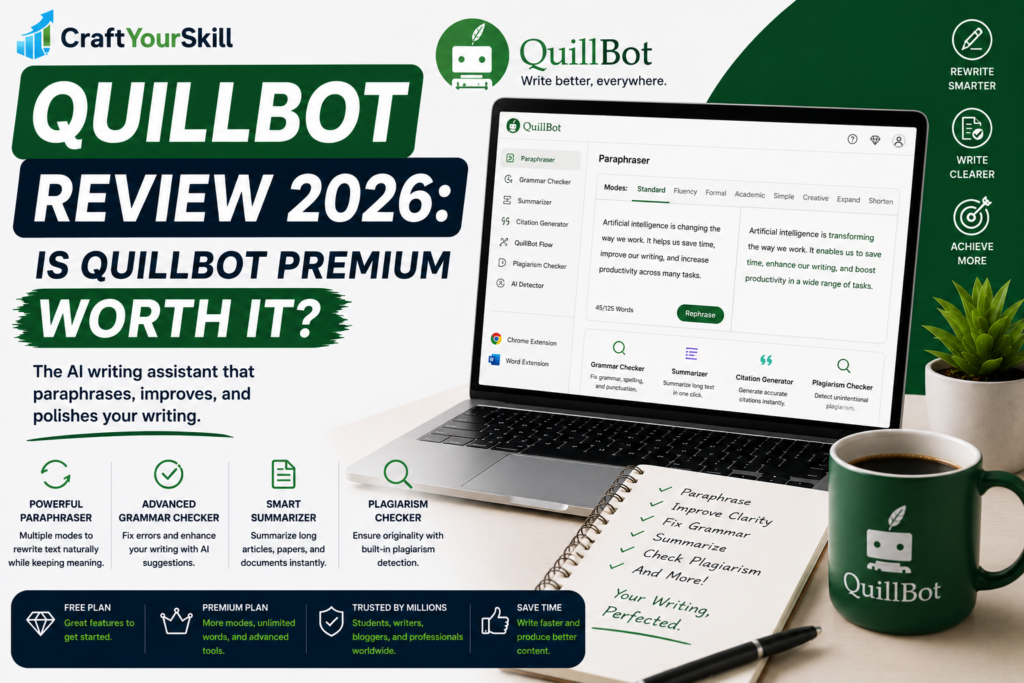
QuillBot’s defining feature is its paraphrasing engine. It offers several modes, each designed for a different goal.
For example:
- Standard – General rewriting while preserving meaning.
- Fluency – Improves grammar and readability.
- Formal – Produces a more professional tone.
- Creative – Introduces greater variation in wording.
- Academic – Suitable for essays and research.
- Simple – Makes complex writing easier to understand.
Switching between these modes is quick, making it easy to adapt the same piece of writing for different audiences.
Grammar Checker
QuillBot includes a grammar checker that identifies spelling mistakes, punctuation issues, awkward phrasing, and grammatical errors.
While Grammarly still offers more detailed writing feedback, QuillBot’s grammar tool performs well for everyday editing and is particularly useful when combined with its paraphrasing features.
Summarizer
Long reports, research papers, and meeting notes can be condensed into shorter summaries with QuillBot’s summarizer.
Freelancers working with client documentation or research-heavy content will appreciate how quickly it extracts the main ideas.
Plagiarism Checker
Available with the Premium plan, QuillBot’s plagiarism checker scans text for potential matches across online sources.
For content writers, this provides an additional layer of confidence before publishing or submitting client work.
Browser Extensions and Integrations
QuillBot integrates with:
- Google Docs
- Microsoft Word
- Chrome
- Edge
These integrations make it possible to improve writing without constantly switching between applications.
How Freelancers Can Use QuillBot
QuillBot works best after you’ve already written something.
For example:
A freelance copywriter might use it to rewrite repetitive sentences while maintaining the intended message.
A blogger can simplify technical language for a broader audience.
A virtual assistant might polish client emails to sound more professional.
An SEO writer could improve readability before publishing an article.
In each case, QuillBot enhances existing work rather than replacing the writing process.
Ease of Use
QuillBot is one of the easiest AI writing tools to learn.
Most features are accessible from a single dashboard, and the workflow is intuitive: paste your text, choose a mode, review the suggestions, and edit as needed.
Even beginners can become productive within minutes.
Pricing
QuillBot offers both free and Premium plans.
The free version includes access to basic paraphrasing and grammar tools, making it useful for occasional users.
Premium unlocks:
- Unlimited paraphrasing
- Additional rewriting modes
- Faster processing
- Plagiarism checking
- Longer text limits
For freelancers who edit content daily, the Premium subscription can save considerable time.
What We Like
QuillBot fills a niche that many broader AI assistants don’t. It excels at refining existing writing, helping users express ideas more clearly without changing the underlying message.
It’s also lightweight and efficient. Instead of overwhelming users with dozens of features, it focuses on doing a few tasks exceptionally well.
Where QuillBot Falls Short
If you’re expecting QuillBot to replace ChatGPT or Claude, you’ll likely be disappointed.
Its strength lies in rewriting and editing—not generating in-depth articles, conducting research, or brainstorming complex ideas.
It also lacks some of the broader productivity features found in larger AI platforms.
QuillBot vs Grammarly
Although these tools are often compared, they solve slightly different problems.
Grammarly focuses on correcting grammar, clarity, tone, and communication.
QuillBot emphasizes rewriting and paraphrasing.
Many freelancers actually use both together. Grammarly catches mistakes, while QuillBot helps improve sentence variety and readability.
We’ll explore this comparison in more detail in our upcoming Grammarly vs QuillBot article.
Who Should Use QuillBot?
QuillBot is an excellent choice for:
- Writers who frequently revise drafts
- Students working on essays
- Bloggers improving readability
- Content marketers repurposing existing articles
- Professionals writing emails and reports
If your work revolves around editing and improving text, QuillBot offers excellent value.
Is QuillBot Premium Worth It in 2026?
For freelancers and writers who edit content every day, the answer is yes.
The Premium plan removes many of the limitations of the free version and provides access to tools that can noticeably speed up the editing process.
However, if your primary need is generating new content, you’ll likely get more value by pairing QuillBot with a broader AI assistant such as ChatGPT or Claude.
Conclusion
QuillBot continues to be one of the most practical AI writing assistants available, particularly for freelancers whose work involves refining and improving existing content. Rather than competing directly with full-featured AI assistants, it complements them by focusing on editing, paraphrasing, and readability.
For writers, bloggers, marketers, and anyone who spends a significant amount of time revising drafts, QuillBot Premium can be a worthwhile investment. Used alongside a conversational AI tool, it creates a workflow that is both efficient and capable of producing polished, professional writing.