
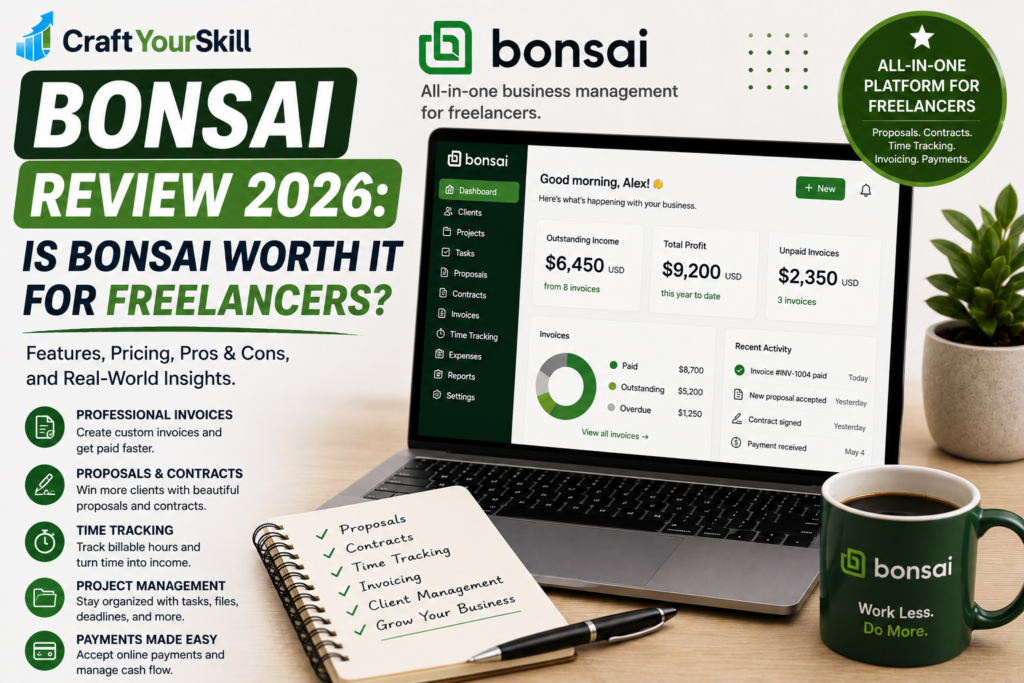
Running a freelance business involves much more than completing client work.
You need to find clients, send proposals, sign contracts, track projects, record your time, create invoices, collect payments, and keep your business organized. When all of these tasks are handled through separate applications, even a relatively small freelance business can quickly become difficult to manage.
Bonsai takes a different approach. Instead of focusing only on invoicing or accounting, it brings many of the administrative parts of freelancing into one platform.
You can use Bonsai for proposals, contracts, invoices, payments, time tracking, project management, client management, scheduling, and expenses. Its current plans are structured around increasingly comprehensive client and project-management features.
But having a lot of features doesn’t automatically make a platform worth paying for.
So, is Bonsai actually a good choice for freelancers in 2026?
This review looks at what Bonsai offers, how much it costs, where it works particularly well, where its limitations are, and which types of freelancers are most likely to benefit from it.
What Is Bonsai?
Bonsai is an all-in-one business management platform built around client and project workflows.
Its basic idea is simple: instead of using one application for proposals, another for contracts, another for time tracking, and another for invoices, Bonsai lets you manage much of that process from the same account.
The workflow can look something like this:
Find a client → create a proposal → sign a contract → manage the project → track time → invoice the client → receive payment.
Bonsai connects these stages rather than treating them as completely separate tasks.
This is particularly relevant for freelancers because administrative work tends to grow as the number of clients increases. A freelancer with one client may have little difficulty keeping track of everything manually. A freelancer managing ten or twenty clients has a very different problem.
Bonsai is designed more for the second situation.
Bonsai Pricing in 2026
Bonsai currently has four main plans: Basic, Essentials, Premium, and Elite.
When billed annually, the current listed prices are:
| Plan | Annual billing | Main focus |
| Basic | $9/user/month | Time tracking and basic project management |
| Essentials | $19/user/month | Invoicing, contracts, proposals and client management |
| Premium | $29/user/month | Advanced project management and reporting |
| Elite | $49/user/month | Advanced team management |
Bonsai also lists higher monthly prices of $15, $25, $39, and $59 per user, respectively. The Elite plan requires a minimum of three users.
The important thing for freelancers is that Basic does not include invoicing. Invoices and payments begin with the Essentials plan.
That means the $9 annual-billing price shouldn’t be viewed as the real entry price if your primary reason for considering Bonsai is invoicing.
For most solo freelancers looking for the combination of contracts, proposals, invoices, expenses, and client management, Essentials is likely the more relevant plan.
Bonsai also offers a 7-day free trial with full access to the platform before requiring users to select a plan.
Is Bonsai Expensive?
It depends on what you’re comparing it with.
If you’re looking only for an invoice generator, Bonsai can be more than you need. There are simpler and cheaper tools designed specifically for sending invoices.
But that’s not really what Bonsai is selling.
Its value comes from combining several parts of a freelance workflow. If you would otherwise pay separately for contract software, proposal software, time tracking, project management, and invoicing, the calculation looks very different.
This is why Bonsai should be evaluated as a freelance business management platform, rather than simply as invoicing software.
Bonsai Invoicing
Invoicing is one of the most important features for freelancers, and Bonsai provides a fairly comprehensive billing workflow.
You can create one-time, scheduled, subscription, or recurring invoices, customize them, associate them with projects, and accept online payments.
One particularly useful feature is the ability to connect tracked time and expenses with invoices.
For an hourly freelancer, this can eliminate a repetitive administrative step.
Instead of looking at your time-tracking application, calculating the billable amount, and manually entering those numbers into an invoice, your tracked time can become part of the billing workflow.
Bonsai supports billable and non-billable time entries, and tracked hours can be added to invoices.
The platform also supports recurring and subscription invoices, which can be useful for freelancers working on monthly retainers.
For example, a freelance SEO specialist charging a client $1,000 every month could establish a recurring billing workflow rather than creating the same invoice manually each month.
Proposals and Contracts
This is one area where Bonsai stands out from a basic invoicing platform.
A freelance business usually has an important step between finding a client and sending the first invoice: getting the client to agree to the work.
Bonsai lets users create proposals and contracts as part of the same workflow.
Proposals can outline services, project scope, timelines, pricing, and package options. Clients can then review the proposal before the project moves forward.
Bonsai also provides contract functionality, allowing freelancers to formalize agreements with clients.
The practical advantage is that your client relationship doesn’t have to be spread across several unrelated services.
Instead, you can move from:
Proposal → Contract → Project → Invoice
within one platform.
Bonsai has also introduced a unified document-building experience for accounts created from July 27, 2026, bringing proposals, contracts, and related documents into a more integrated workflow.
For freelancers who regularly create proposals and contracts, this can be one of Bonsai’s biggest advantages.
Time Tracking
Bonsai includes time tracking, making it particularly useful for freelancers who charge by the hour or want to understand how long projects actually take.
The platform supports billable and non-billable time, timesheets, and time entries connected to projects. Billable rates can also be assigned to members or projects.
This creates a useful connection between project management and invoicing.
Imagine you’re a freelance developer working on a website redesign.
You estimate that the project will require 30 hours. After two weeks, Bonsai can help you see how much time has actually been spent and whether the project is approaching its budget.
That information isn’t only useful for billing. It can also improve future pricing decisions.
If a project that you regularly quote at $2,000 consistently takes 50 hours instead of the expected 30, you have evidence that your pricing or project scope needs to change.
Project Management
Bonsai has expanded well beyond basic freelance administration.
Its project management features allow users to connect tasks, time, files, billing, expenses, and client information within a project.
The higher plans add features such as project insights, workload management, Gantt views, and profitability and productivity reports.
This becomes more useful as your freelance business grows.
A beginner freelancer working on two small projects probably doesn’t need sophisticated project reporting.
A freelancer managing multiple ongoing clients, subcontractors, deadlines, and budgets may find it much more valuable.
That difference is important when deciding whether Bonsai is worth the subscription.
Client Management
Bonsai also provides a CRM and client portal.
The client portal allows clients to access project information, invoices, documents, files, and other relevant activity in one place. Clients can also collaborate on tasks and upload files.
This can make a freelance business look more professional.
Instead of sending a client a series of unrelated emails containing a proposal, contract, invoice, and project files, you can give them a central place to interact with the project.
Another advantage is that clients don’t necessarily need a Bonsai account to accept proposals, sign contracts, or pay invoices.
That’s an important detail because forcing clients to create an account simply to pay an invoice can create unnecessary friction.
Scheduling
Bonsai also includes scheduling functionality.
The platform allows clients and leads to book time based on your availability without necessarily requiring another scheduling subscription.
For freelancers who regularly conduct consultations, discovery calls, coaching sessions, or client meetings, having scheduling connected to the rest of the client workflow can be convenient.
It isn’t necessarily a reason by itself to choose Bonsai, but it adds to the platform’s broader goal of reducing the number of separate tools freelancers need.
Expense Tracking
Bonsai also includes expense tracking, allowing freelancers to keep business expenses connected to their projects and financial records.
Expenses can be attached to invoices, making the feature particularly useful when clients reimburse costs.
For example, a freelance photographer might have travel expenses associated with a client project. Instead of tracking those costs separately in a spreadsheet and remembering to add them to the invoice later, they can be connected to the project.
This is a small feature that can save considerable administrative effort over time.
Reporting and Profitability
Bonsai becomes more interesting for established freelancers when you move beyond invoices and look at its reporting features.
The Premium plan adds profit and productivity reports, project insights, workload management, and other advanced reporting capabilities.
This can help answer questions that basic invoicing software usually doesn’t answer:
- Which projects are actually profitable?
- How much time are you spending on different clients?
- Are you undercharging for certain services?
- How much work is currently in progress?
- How much of your available time is being used?
For a freelancer trying to turn freelancing into a sustainable business, these questions are more important than simply knowing whether an invoice has been paid.
Bonsai Integrations
Bonsai supports integrations with several other services, including QuickBooks, Zapier, Calendly, Google, Slack, and Xero depending on the plan and functionality.
The integration ecosystem isn’t necessarily the main reason to choose Bonsai, but it matters if you’re already using other business tools.
For example, a freelancer using QuickBooks for accounting may prefer to keep Bonsai focused on client management, projects, contracts, and invoicing while connecting the relevant financial information to their accounting system.
This can make Bonsai more flexible than a completely closed ecosystem.
Is Bonsai Easy to Use?
For a platform with this many features, Bonsai does a good job of organizing the freelance workflow around projects and clients.
The interface is built around practical business activities rather than requiring users to think like accountants or project managers.
That said, there is a trade-off.
The more features you use, the more time you’ll need to spend learning the platform.
Someone who only wants to send invoices might find Bonsai unnecessarily complicated. Someone who wants to manage proposals, contracts, projects, time, billing, and clients from one place will likely see the same complexity as a benefit.
The learning curve therefore depends heavily on how much of Bonsai you actually intend to use.
Bonsai Pros and Cons
Pros
All-in-one freelancer workflow: Proposals, contracts, projects, time tracking, invoicing, and client management can be connected.
Strong contract and proposal functionality: This is a significant advantage over basic invoicing software.
Integrated time tracking: Tracked hours can flow directly into the billing process.
Professional client portal: Clients can access documents, invoices, files, and project information in one place.
Recurring invoicing: Useful for retainers and ongoing client relationships.
Project profitability tools: Higher plans can help freelancers understand whether projects are financially worthwhile.
Mobile apps: Bonsai supports iOS and Android apps, making it easier to manage work away from your computer.
Cons
Basic doesn’t include invoicing: Freelancers specifically looking for invoicing will need at least the Essentials plan.
Can be more than beginners need: If you only send a few invoices each month, many of Bonsai’s features may go unused.
Advanced features are behind higher tiers: Profitability reporting, workload management, Gantt views, and several advanced capabilities require Premium or higher.
Payment processing fees still apply: Online payment costs depend on the payment method and provider rather than being completely included in the subscription.
Not a replacement for every accounting setup: Freelancers with more complicated bookkeeping or tax requirements may still need dedicated accounting software or professional help.
Who Is Bonsai Best For?
Bonsai is particularly well suited to service-based freelancers who manage an ongoing client workflow.
That includes:
- Freelance designers
- Writers and copywriters
- Developers
- Consultants
- Marketing freelancers
- SEO professionals
- Photographers
- Coaches
- Small creative studios
The common factor isn’t the profession itself.
It’s the workflow.
If your business regularly involves proposals, contracts, projects, time tracking, invoices, and client communication, Bonsai becomes much more compelling.
For example, a freelance web designer could use Bonsai to send a proposal, collect approval, sign a contract, create the project, track hours, communicate with the client, send the final invoice, and monitor profitability.
That’s a much stronger use case than simply using Bonsai to send an invoice.
Who Should Probably Avoid Bonsai?
Bonsai may not be the best fit for freelancers who need only basic invoicing.
If you’re a beginner who has one client, sends one invoice per month, and doesn’t need contracts, project management, time tracking, or client portals, Bonsai’s broader feature set may not justify the cost.
Similarly, freelancers who already have a well-established collection of tools may not benefit from moving everything into a single platform.
There is a certain amount of convenience in having everything together, but switching software also takes time.
The question isn’t whether Bonsai has enough features.
It clearly does.
The question is whether you need those features.
Bonsai vs FreshBooks
Since we’ve already reviewed FreshBooks on CraftYourSkill, this is one of the most useful comparisons to make.
Both platforms can handle invoicing, payments, expenses, and time tracking, but they approach the freelance business from somewhat different directions.
FreshBooks has a stronger emphasis on invoicing and accounting. It makes sense for freelancers who want financial management to be the center of their workflow.
Bonsai puts more emphasis on the complete client lifecycle: proposals, contracts, projects, time tracking, invoicing, and client management.
In simple terms:
Choose FreshBooks if accounting and invoicing are your priority.
Choose Bonsai if client workflow and business administration are your priority.
Neither is automatically better.
A freelancer who mainly needs to send invoices and keep financial records may get more value from FreshBooks.
A freelancer who wants to manage the process from signing a client through getting paid may find Bonsai more useful.
Is Bonsai Worth It for Freelancers in 2026?
For the right freelancer, yes.
Bonsai’s biggest advantage isn’t any single feature. There are plenty of applications with better standalone time tracking, invoicing, project management, or accounting capabilities.
Its strength is the connection between those functions.
A freelancer can move from proposal to contract, from contract to project, from project to time tracking, and from time tracking to invoicing without constantly switching platforms.
That can save time and reduce administrative mistakes.
The value becomes particularly clear once you have several active clients and recurring projects.
However, beginners should be careful not to confuse “more features” with “better value.”
If you only need a simple way to invoice clients, Bonsai is probably more platform than you need.
If you’re building a professional freelance business and want one system to manage your client operations, it becomes much more compelling.
Bonsai Review: Conclusion
Bonsai is one of the strongest all-in-one platforms for freelancers who want to manage the entire client workflow rather than just create invoices.
Its proposal, contract, project, time-tracking, invoicing, and client-management features work together in a way that can eliminate the need for several separate tools.
The Essentials plan at $19/user/month when billed annually is likely the most relevant starting point for many solo freelancers because it includes the core features that make Bonsai useful as a freelance business platform.
However, if you’re only looking for basic invoicing, there are simpler alternatives that may offer better value.
Rating: 4.5/5
Best for: Freelancers and service-based professionals who want proposals, contracts, projects, time tracking, invoicing, and client management in one platform.
Not ideal for: Freelancers who only need occasional basic invoices or already have a complete set of business-management tools.