One of the biggest challenges freelancers face isn’t finding work: it’s staying productive.
When you’re working independently, there’s no fixed schedule, no manager checking in, and no clear structure unless you create one yourself.
At first, this freedom feels great. But without the right systems in place, it can quickly turn into missed deadlines, distractions, and inconsistent results.
The good news is that you don’t need complicated systems to stay productive.
You just need a few reliable tools that help you stay focused, organized, and in control of your time.
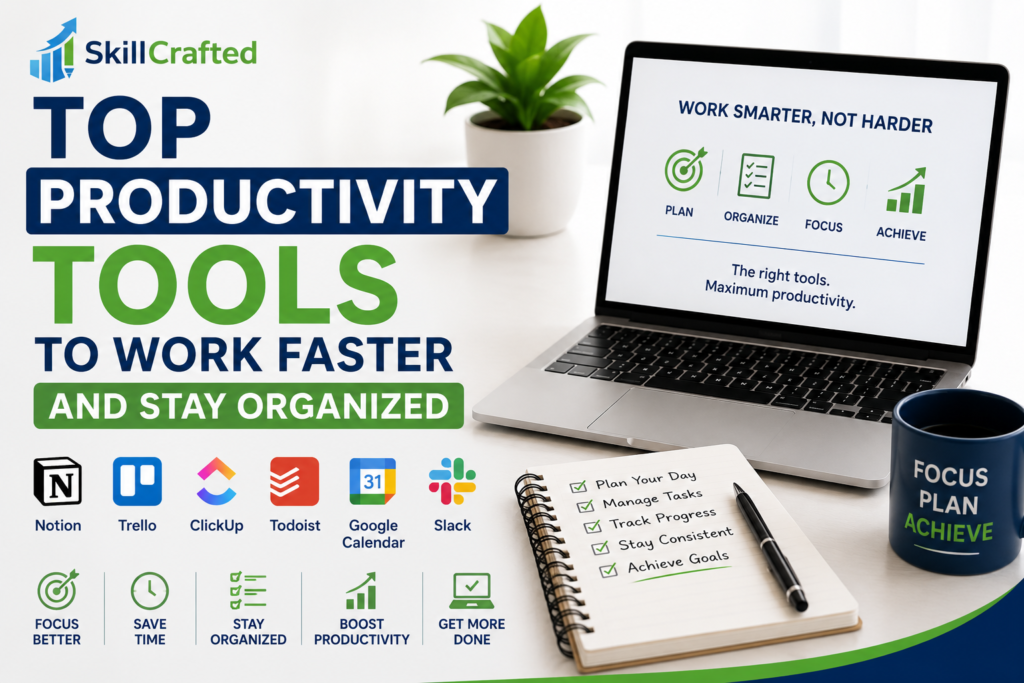
In this guide, we’ll go through the top productivity tools for freelancers in 2026, along with how to actually use them in your daily workflow.
Why Productivity Matters More Than Motivation
Many beginners rely on motivation to get work done.
But motivation comes and goes.
Productivity, on the other hand, is built through systems.
When you have the right tools and structure in place, you don’t have to rely on feeling motivated: you simply follow your process.
That’s what allows freelancers to stay consistent and deliver results.
1. A Central Workspace for Everything
One of the fastest ways to lose productivity is having your work scattered across different places.
Notes in one app, tasks in another, ideas somewhere else it creates friction.
This is why having a central workspace is so important.
A tool like Notion allows you to organize:
- Tasks
- Notes
- Client work
- Content ideas
all in one place.
Once everything is structured, your work becomes clearer and easier to manage.
2. Task Management That Keeps You Focused
Knowing what to do and in what order is essential.
Without a clear task system, it’s easy to jump between things and feel busy without making real progress.
A simple and visual tool like Trello works well for this.
You can create boards for:
- Daily tasks
- Client projects
- Long-term goals
The key is not the tool itself, but using it consistently to track what actually needs to be done.
3. Time Tracking for Better Awareness
Many freelancers underestimate how much time they spend on tasks.
You might think something takes one hour, when in reality it takes three.
This is where time tracking becomes useful.
Using a tool like Toggl Track, you can see exactly where your time goes.
This helps you:
- Improve efficiency
- Price your work more accurately
- Identify distractions
It’s not about controlling every minute: it’s about understanding your habits.
4. Calendar Planning for Structure
Even if you’re freelancing part-time, having a basic schedule can make a huge difference.
Without structure, work tends to expand, and important tasks get delayed.
A simple tool like Google Calendar helps you plan your day and set clear time blocks for work.
For example, you can:
- Dedicate mornings to focused work
- Schedule meetings or calls
- Set deadlines and reminders
Over time, this creates a routine that improves consistency.
5. Distraction Control Tools
Staying focused is one of the hardest parts of working online.
Social media, notifications, and constant interruptions can easily break your concentration.
Tools like Forest app or browser blockers can help you stay focused by limiting distractions during work sessions.
Even small changes, like turning off notifications or working in focused time blocks, can significantly improve productivity.
6. Writing & Communication Efficiency
A lot of freelancing involves writing: whether it’s emails, proposals, or content.
Improving how quickly and clearly you write can save a lot of time.
Using Grammarly helps you:
- Avoid small mistakes
- Improve clarity
- Communicate more professionally
This may seem like a small detail, but it has a big impact on how clients perceive your work.
7. File Organization for a Cleaner Workflow
Losing files or wasting time searching for documents can slow you down more than you realize.
Having a clear system for storing and organizing files is essential.
A tool like Google Drive allows you to:
- Keep everything in one place
- Share files easily with clients
- Stay organized across projects
When your workspace is clean, your mind is clearer too.
How to Build a Simple Productivity System
You don’t need to use every tool at once.
A simple system might look like this:
- Use Notion or Trello to manage tasks
- Use Google Calendar to plan your day
- Use Toggl to track time
- Use Google Drive to store files
That’s more than enough to stay organized and productive.
The key is consistency, not complexity.
Common Productivity Mistakes
One common mistake is relying too much on tools without building habits.
Tools can support you, but they won’t replace discipline.
Another mistake is overloading your system. Too many tools can create confusion instead of clarity.
Start simple and build gradually.
Final Thoughts
Productivity is not about working more: it’s about working better.
With the right tools and a simple system, you can:
- Stay focused
- Manage your time
- Deliver better results
And over time, this is what separates struggling freelancers from successful ones.