Whether you’re writing client emails, blog posts, proposals, or social media content, clear communication is one of the most valuable skills you can have as a freelancer.
Unfortunately, even experienced writers make mistakes.
Small grammar errors, awkward sentences, or unclear wording can make otherwise great work appear unprofessional. For freelancers, that can affect credibility and even cost potential clients.
This is where Grammarly has become one of the most widely used writing tools online.
But with AI writing assistants becoming more advanced every year, many freelancers wonder whether Grammarly Premium is still worth paying for in 2026.
After using Grammarly for different types of freelance work: including blog writing, some freelance platform proposals, emails, and marketing content—it’s clear that the platform still offers significant value. However, it isn’t the perfect solution for everyone.
In this review, we’ll look at what Grammarly does well, where it falls short, and who should actually consider upgrading.
Pros & Cons
Rating: 9.2/10
Best for:
- Freelance writers
- Virtual assistants
- Copywriters
- Bloggers
- Students
- Business owners
- Anyone who writes in English regularly
Pros
- Excellent grammar and spelling correction
- Improves sentence clarity
- Easy to use
- Works across websites and applications
- Helpful tone suggestions
- Saves time editing
Cons
- Premium subscription can feel expensive
- AI suggestions occasionally sound too formal
- Not a replacement for human editing
What Is Grammarly?
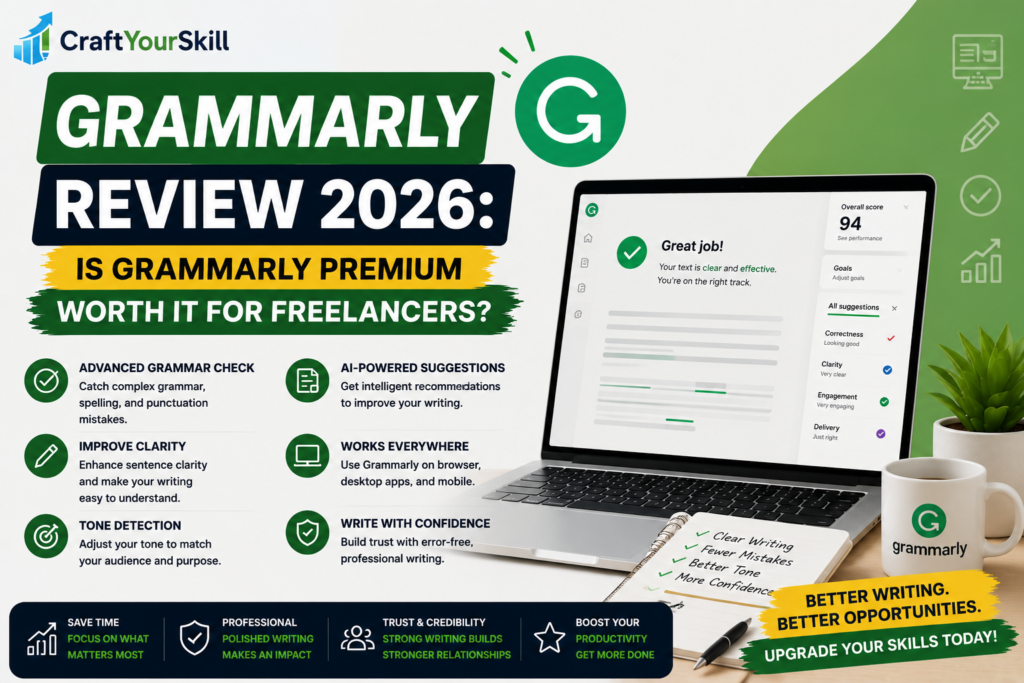
Grammarly is an AI-powered writing assistant designed to improve the quality of your writing in real time.
Unlike a traditional spell checker, Grammarly analyzes your writing for:
- Grammar
- Spelling
- Punctuation
- Sentence clarity
- Word choice
- Tone
- Readability
It works almost everywhere you write, including:
- Google Docs
- Gmail
- Microsoft Word
- WordPress
- Social media platforms
- Browser forms
For freelancers, this means you don’t need to copy and paste your writing into a separate editor before sending it to clients.
Key Features
One reason Grammarly remains popular is that it focuses on practical improvements rather than simply highlighting mistakes.
Grammar and Spelling
This is Grammarly’s strongest feature.
It catches everything from simple typos to more advanced grammatical issues that many people overlook.
In most cases, the suggestions are accurate and easy to apply.
Clarity Suggestions
Many freelancers naturally write long or overly complicated sentences.
Grammarly often recommends simpler alternatives that make writing easier to understand.
This is especially useful when writing:
- Blog articles
- Client reports
- Website copy
- Emails
Good writing isn’t about using bigger words—it’s about communicating ideas clearly.
Tone Detection
One feature many freelancers appreciate is Grammarly’s tone detector.
Before sending a message, Grammarly estimates how your writing may come across.
For example:
- Friendly
- Confident
- Formal
- Empathetic
- Optimistic
While it isn’t always perfect, it’s surprisingly useful when communicating with new clients.
AI Writing Assistance
Over the past two years, Grammarly has introduced AI-powered writing features that help users:
- Rewrite paragraphs
- Generate ideas
- Shorten text
- Improve readability
- Adjust tone
Although these tools are useful, they work best as editing assistants rather than content generators.
If you’re writing blog articles, proposals, or newsletters, it’s still important to add your own expertise and personality.
Ease of Use
One of Grammarly’s biggest strengths is simplicity.
Installation takes only a few minutes, and once the browser extension is active, it works automatically while you write.
There is virtually no learning curve.
For beginners especially, this makes Grammarly much easier to adopt than many productivity tools.
Grammarly Free vs Premium
This is probably the biggest question new users have.
The free version is surprisingly capable.
It covers:
- Basic grammar
- Spelling
- Punctuation
For casual users, that may be enough.
However, Premium unlocks features that freelancers are much more likely to benefit from, including:
- Advanced grammar suggestions
- Clarity improvements
- Tone adjustments
- Vocabulary enhancements
- Full-sentence rewrites
- Plagiarism detection (depending on the plan)
If you’re writing professionally every day, Premium quickly becomes worthwhile.
Real Advantages for Freelancers
Grammarly isn’t just about fixing mistakes.
It saves time.
Instead of proofreading every email three or four times, freelancers can focus more on client work while Grammarly catches small issues automatically.
It also improves confidence.
When sending proposals or communicating with high-paying clients, knowing your writing is polished reduces unnecessary stress.
Finally, Grammarly helps maintain consistency.
Whether you’re writing a blog article or replying to a client, your communication feels more professional.
Where Grammarly Falls Short
Despite its strengths, Grammarly isn’t perfect.
Occasionally, it recommends changes that remove personality from your writing.
If you accept every suggestion without thinking, your content can start sounding overly polished or generic.
This is especially noticeable when writing blog posts where a conversational tone matters.
It’s also worth remembering that Grammarly cannot replace subject-matter expertise.
It can improve how something is written, but it cannot tell you whether the information itself is accurate.
Pricing
Grammarly offers both a free and a Premium plan.
For beginners who write occasionally, the free version is an excellent starting point.
However, freelancers producing content every day will likely find enough value in Premium to justify the subscription.
Because pricing occasionally changes, it’s always worth checking Grammarly’s official website before purchasing.
Best Alternatives
While Grammarly remains one of the best writing assistants, it’s not the only option.
Popular alternatives include:
- ProWritingAid
- QuillBot
- Hemingway Editor
- LanguageTool
Each has its strengths, but Grammarly remains one of the easiest tools for beginners to use.
Is Grammarly Worth It in 2026?
For most freelancers, the answer is yes.
If writing is part of your daily work, Grammarly Premium can easily save several hours every month while improving the quality of your communication.
It won’t make someone a great writer overnight.
But it does reduce avoidable mistakes, improve readability, and help create a more professional impression.
Those small improvements can make a meaningful difference when working with clients.
If you’re only writing occasional emails or personal documents, the free version is probably all you need.
But if your income depends on written communication, Premium is a worthwhile investment.
Conclusion
Grammarly has remained one of the most trusted writing assistants because it focuses on solving a simple but important problem: helping people communicate more clearly.
For freelancers, where every proposal, email, and article contributes to your professional reputation, that matters.
While it isn’t the cheapest writing tool available, its ease of use, reliable suggestions, and time-saving features make it one of the best productivity investments for writers, virtual assistants, marketers, and online professionals in 2026.